

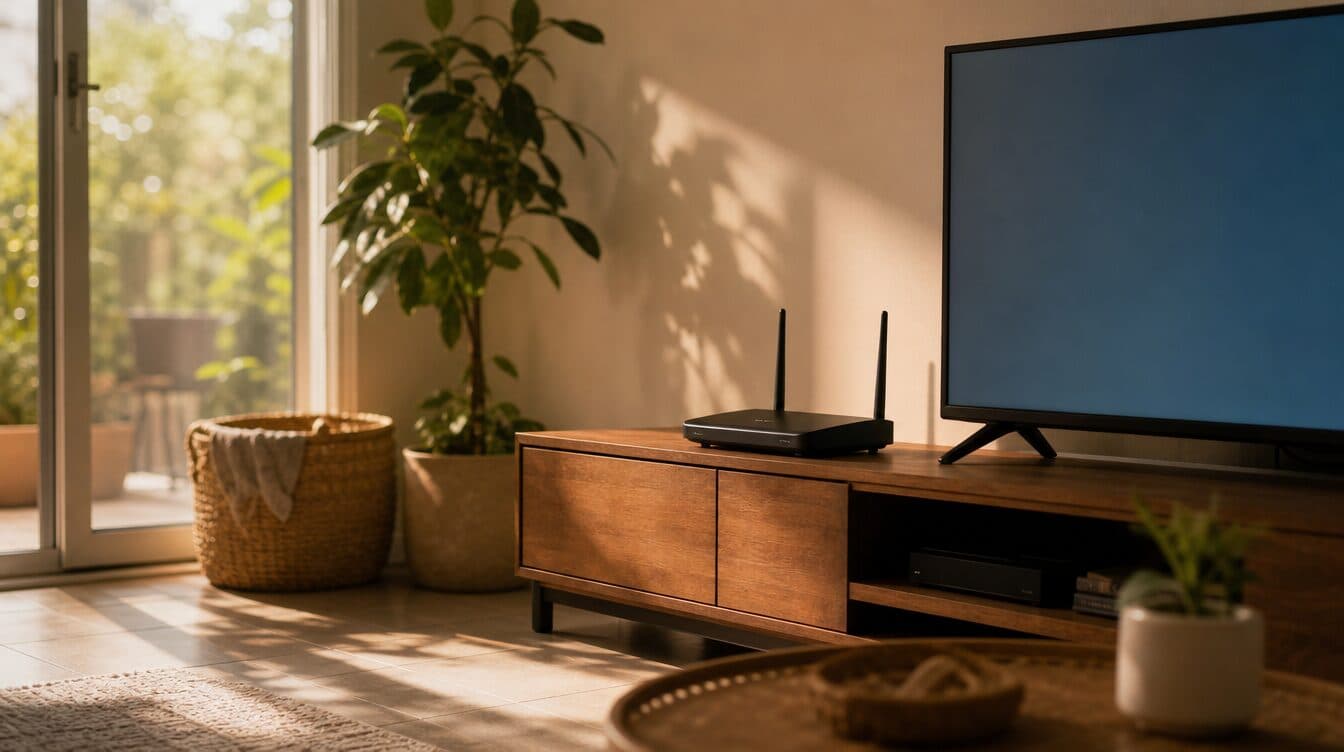
It’s 3:15 on a Tuesday in Spring Valley. You’re on a video call with your team from the home office off South Rainbow — the same desk you’ve worked from since the pandemic made it permanent — and mid-sentence, the screen freezes, the audio cuts, and the “reconnecting…” spinner appears for the fourth time today. You watch the Wi-Fi icon in the corner of the screen cycle through one bar, two bars, gone, one bar. Your phone, sitting right next to the laptop, shows full signal on cellular. The router is twenty feet away in the living room. This makes no sense.
I’m Matt with Matt’s Mobile Tech Support, and after 10+ years working across the southwest valley — from the older neighborhoods near Spring Valley Hospital to the condos around the District, from Rainbow to Jones and everything along Spring Mountain Road — I’ve troubleshot this exact “my Wi-Fi is fine until it isn’t” problem in more Spring Valley homes than I can count. The answer is almost never “you need faster internet.” It’s almost always a placement problem, a hardware limitation, or a configuration gap that no amount of rebooting will fix. Spring Valley WiFi setup done right means understanding why these particular homes, floor plans, and building materials fight wireless signals — and then solving it at the infrastructure level so you stop rebooting the router every afternoon.
Spring Valley Homes Were Built Before Wi-Fi Mattered
Spring Valley’s housing stock is one of the most diverse in the valley. You’ve got single-story ranches from the late ’80s and early ’90s, two-story stucco homes from the 2000s building boom, condos and townhomes near the commercial corridors, and a handful of newer infill construction mixed in. What they have in common is that almost none of them were designed with wireless networking in mind. Here’s why that matters more than most residents realize:
- Stucco over wire lath is a Wi-Fi killer. The exterior and many interior walls in Spring Valley homes are stucco applied over metal lath — essentially a wire mesh embedded in the walls. To a 5 GHz Wi-Fi signal, that wire mesh acts like a partial Faraday cage, attenuating the signal by 6–10 dB per wall. Two stucco walls between your router and your desk is often enough to drop from “fast” to “barely usable.”
- The router is in the wrong room. ISP technicians install the modem/router combo where the cable line enters the house — which in Spring Valley usually means a corner of the living room, the master bedroom closet, or a utility nook. That’s fine for one room; it’s terrible for the home office on the other end of the house, the kid’s bedroom upstairs, or the patio where you want to stream.
- One router can’t cover most floor plans here. A typical Spring Valley single-story home is 1,400–2,200 square feet. A two-story is 2,000–3,000+. The ISP-provided router has an effective radius of maybe 30–40 feet through clear air. Through stucco-over-lath walls, tile floors, and the HVAC ducting that runs through the ceiling, that radius shrinks dramatically. You end up with dead zones in the exact rooms where you most need the signal.
- The 2.4 GHz / 5 GHz confusion makes it worse. Modern routers broadcast both bands, and most devices auto-switch between them. The problem: 5 GHz is fast but short-range, and 2.4 GHz is longer-range but slower and more congested. In dense Spring Valley neighborhoods — where your router can see fifteen other routers on the same channel — the 2.4 GHz band is often so congested that auto-switching to it actually makes things worse.
- The afternoon drop is real. Multiple Spring Valley clients have described the same pattern: Wi-Fi works fine in the morning, degrades by lunch, and is nearly unusable by 3–5 p.m. That’s not a coincidence. It’s the entire neighborhood coming home, turning on devices, and saturating the same handful of Wi-Fi channels. A properly configured network avoids the worst of this; a default-settings ISP router rides right into it.
- Smart-home devices make the congestion worse. Every Ring doorbell, Nest thermostat, smart TV, gaming console, and Alexa speaker is a client on your network. A modern Spring Valley household easily has 20–40 connected devices competing for airtime. The ISP router is often rated for 10–15 simultaneous connections before performance degrades.
The bottom line: most Spring Valley Wi-Fi problems aren’t internet-speed problems. They’re coverage, congestion, and configuration problems that live between the router and the device — and they’re fixable without upgrading your internet plan.
The Hidden Costs of Living With Bad Wi-Fi
Here’s what staying with bad Wi-Fi actually costs:
- Wasted money on internet upgrades. The most common “fix” people try is calling the ISP and upgrading their plan. From 250 Mbps to 500 to Gig. That’s $20–$40/month more for bandwidth that never reaches the room where you need it. The bottleneck is the last 30 feet, not the first 30 miles.
- Lost productivity for remote workers. Dropped video calls, laggy file uploads, VPN disconnects — these don’t just waste time, they erode your professional reputation with coworkers who assume your internet is fine.
- Homework and streaming fights. When the network can’t handle four devices simultaneously, someone loses. The kid’s Zoom class freezes, or your movie buffers, or the smart doorbell goes offline for the twentieth time.
- Security cameras that don’t actually record. Outdoor Ring and Arlo cameras depend on a reliable Wi-Fi signal reaching the front porch or backyard. If the signal is marginal, the camera records intermittently — you get half a clip of a package thief instead of a usable video.
- Smart-home devices that “just stop working.” The thermostat goes offline, the smart lock doesn’t respond, the garage door opener app shows “unavailable.” These aren’t product defects — they’re Wi-Fi coverage gaps that the devices can’t compensate for.
- The reboot ritual. Unplugging the router, waiting 30 seconds, plugging it back in, waiting two minutes for the lights to come back. Twice a day. This is the universal sign that something is structurally wrong with the network, and no number of reboots will fix a structural problem.
Bad Wi-Fi is the kind of problem where the monthly cost is low enough to tolerate but high enough — over a year — to dwarf the cost of fixing it properly one time.
Professional In-Home WiFi Setup for Spring Valley
Here’s how a proper Wi-Fi setup visit works when I come to a Spring Valley home.
1. A real survey of your home and your actual usage
I walk your entire floor plan with a signal-testing tool and map where the coverage is strong, where it drops, and why. I look at your router’s current placement, the wall materials between it and your key rooms, the channel congestion from neighboring networks, and the number and type of devices on the network. This takes 15–20 minutes and it’s the step that ISP “just reboot it” support skips entirely.
2. The right hardware recommendation — not the most expensive one
Sometimes the fix is simply moving the router and changing two settings. Sometimes it’s adding a single access point. For larger homes or heavy-device households, a mesh system (three nodes placed based on the actual survey, not the diagram on the box) is the right call. I don’t sell hardware — I recommend what fits your floor plan, your device count, and your budget, and I’ll either bring it from my kit at cost or tell you exactly what to order. No markup, no brand loyalty, no kickbacks.
3. Installation, configuration, and optimization
I place nodes based on the survey, not guesswork. I configure channel selection to avoid the congestion from neighboring networks. I separate the 2.4 GHz and 5 GHz bands if your devices benefit from it, or unify them with proper band steering if they don’t. I set up a guest network so visitors aren’t on your main LAN, configure QoS (quality of service) so your video calls get priority over the kid’s game downloads, and make sure every smart-home device reconnects cleanly. Before I leave, I re-walk the floor plan and confirm full coverage in every room that matters to you.
4. All your other tech needs — while I’m already there
- Wi-Fi setup, mesh networks, and dead-zone fixes — the core of this visit
- Slow computer repair — boot-up tune-ups, SSD and RAM upgrades, full speed restores
- Virus and malware removal — full PC and Mac cleanup, browser repair, account lockdown
- Printer repair and setup — wireless reconnects, driver fixes, multi-device sharing (printers are the first thing to break when you change the Wi-Fi)
- New computer setup and data migration — get a new machine fully configured with your real life in place
- Smart-home setup — cameras, doorbells, thermostats, voice assistants, guest networks
- Email setup, password recovery, two-factor authentication walkthroughs
I service PCs and Macs equally — and on a Wi-Fi visit, I make sure every device in the house reconnects properly and gets the signal it needs. Residential labor is a flat $125/hour ($150 for businesses) and parts are at cost.
Share the Tech Relief — Refer a Spring Valley Neighbor, Save $25 Each
If I fix your Wi-Fi and you notice the neighbor is still rebooting their router every afternoon, send them my way. When you refer a Spring Valley neighbor, family member, or coworker to Matt’s Mobile Tech Support and they book their first appointment, both of you get $25 off your next service. No app, no code, no expiration tricks. Have them mention your name when they call (702) 829-6914, and I credit your account on the next visit.
Most of my Spring Valley calendar fills this way — one household fixes their Wi-Fi, mentions it to the neighbor whose Ring camera keeps going offline, and that neighbor calls me the following week. Share the tech relief, get $25 off, and help your neighbor stop paying for internet speed that never reaches their desk.
Frequently Asked Questions About WiFi Setup in Spring Valley
Do you work on PCs and Macs?
Yes — both. On a Wi-Fi visit, I make sure Windows PCs, Macs, tablets, phones, smart-home devices, and printers all reconnect and get full signal. The same flat residential rate ($125/hour) applies regardless of what’s on your network. I bring a full kit including spare cables, adapters, and replacement access points so most visits resolve in one trip.
How fast can you get to a Spring Valley address?
Spring Valley is one of my core service zones — I’m in the area multiple times a week. Same-day appointments are usually available, especially if you call before lunch. From central Spring Valley (Rainbow to Jones, Sahara to Tropicana) I can typically be there within 1–2 hours of booking. I’ll text you a tight arrival window before I head out.
Do I need to upgrade my internet plan to fix bad Wi-Fi?
Almost never. In my experience, most Spring Valley Wi-Fi complaints are coverage and congestion problems, not bandwidth problems. If you’re paying for 250 Mbps or more, you almost certainly have enough speed — it’s just not reaching every room. I’ll tell you honestly if an upgrade is needed, but most of the time the fix is better hardware placement and configuration, not a bigger monthly bill.
How does the Share the Tech Relief referral program work?
Refer a friend, family member, or neighbor. When they book and complete their first appointment with Matt’s Mobile Tech Support, you each get $25 off your next visit. The credit doesn’t expire and there’s no limit on how many people you can refer. Just have them mention your name when they call (702) 829-6914 and the discount applies automatically.
Ready to Fix Your Spring Valley Wi-Fi for Good?
You don’t need a faster internet plan, you don’t need to keep rebooting the router, and you definitely don’t need to accept “it’s just slow in that room” as a permanent condition. Most Spring Valley Wi-Fi problems can be diagnosed and solved in a single in-home visit — with the right hardware, placed based on a real survey, and configured for your specific floor plan and device load.
📞 Call or text Matt at (702) 829-6914 for professional WiFi setup in Spring Valley, or book online. Mesh networks, dead-zone fixes, smart-home reconnects, printer setup — if it connects to Wi-Fi, I’ll make sure it actually works. And if a friend already sent you my way, mention their name so they get their $25 Share the Tech Relief credit too.